How to read a thermal image: colors, reflections and emissivity
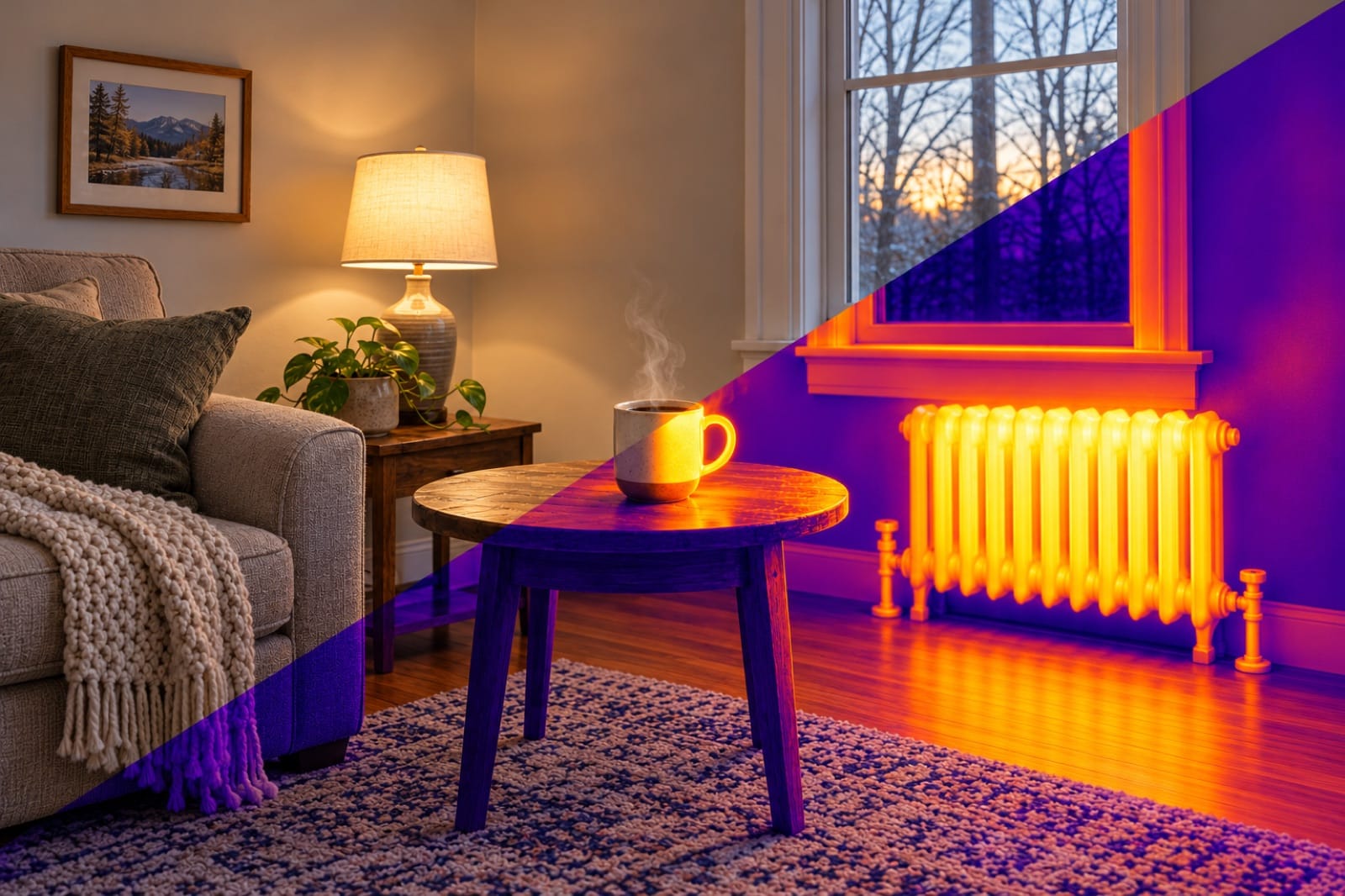
The first time you point a thermal camera at a wall, it looks like a weather map: purple here, orange there, a yellow blob you can't explain. Some of those colors are a problem in the wall. Some are just the sun, a lamp or your own reflection.
Reading a thermal image is a skill, but not a hard one. Here's what the colors mean, the three things that fool almost everyone, and a five-minute routine that tells you whether a spot is worth worrying about.
1. What the colors actually mean
A thermal camera measures the temperature of the surface in front of it, nothing deeper. Each color is a temperature, and the scale bar on the side of the screen tells you which.
The important part: the colors are relative. In automatic mode, which is how most thermal apps start, the app stretches the full palette between the coldest and hottest thing in the frame. Point it at a wall that varies by only 2 °C (3.6 °F) and that small difference fills the whole range from purple to white. Point it at the same wall with a hot mug in the shot, and the wall turns almost uniformly purple, because the mug now takes up the top of the scale.
So before you decide something is "hot", look at the numbers on the scale bar, not just the color.
| On the screen | What it means |
|---|---|
| White and yellow | The warmest surfaces in this frame |
| Orange and red | Warmer than average |
| Purple and dark blue | The coldest surfaces in this frame |
| A sharp, bright spot | Something small and warm: a pipe, a plug, a light |
| A soft, spreading patch | Heat or cold spreading through a surface: damp, a leak, a draft |
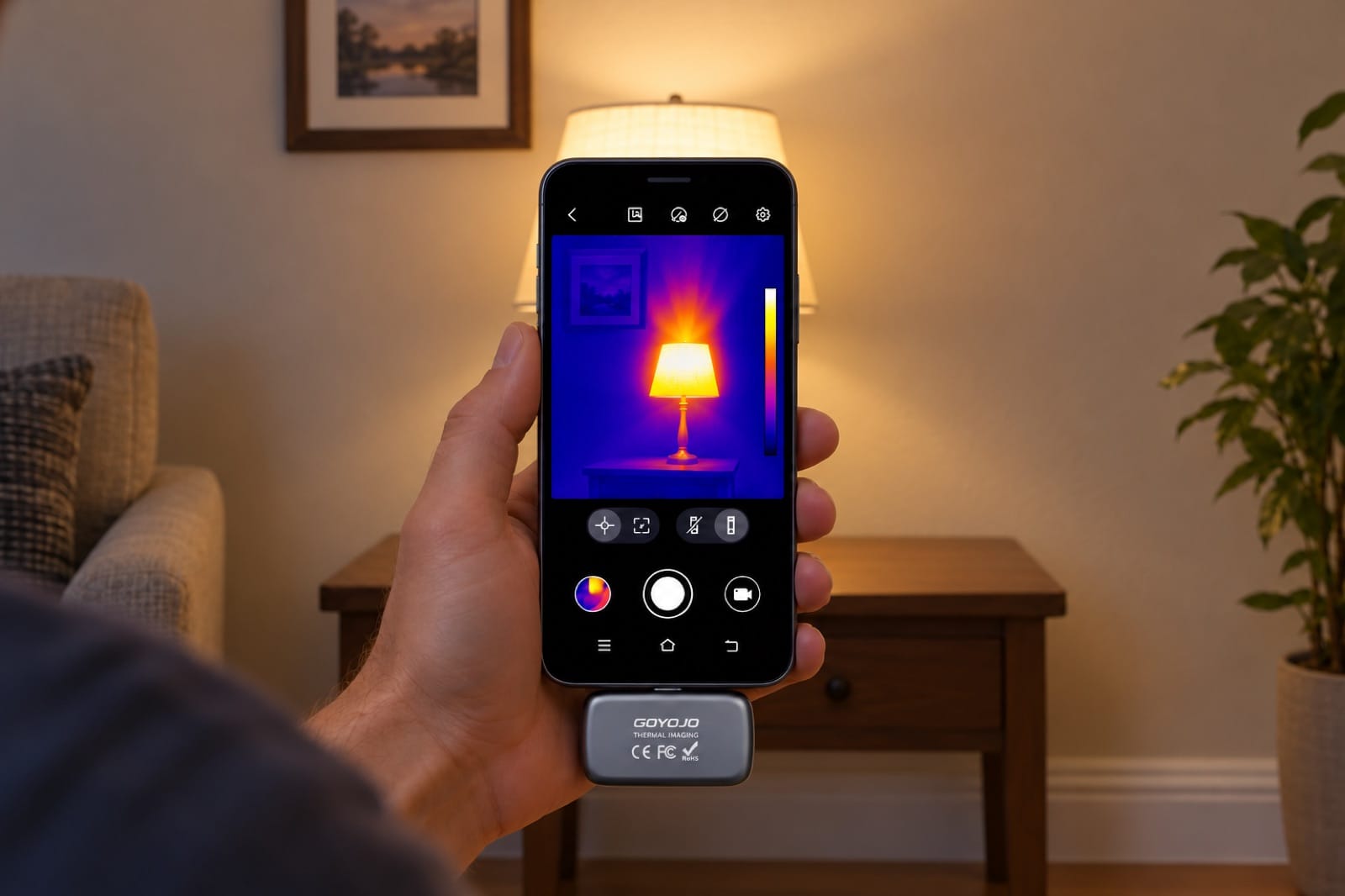
Illustration: the lamp takes the top of the color scale, so a wall with real differences looks evenly cold. Check the numbers, not just the color.
2. Look at the shape before the color
The shape of a patch usually tells you more than its exact temperature.
- Straight lines at regular spacing are normally the framing: studs and ceiling joists conduct heat a little differently from the insulation between them. Normal.
- A straight line that bends or runs across the framing is often a pipe or a heating line.
- Feathered fingers spreading from a gap are moving air: a draft under a door or around a window.
- A soft, blotchy patch with no clear edge is the classic sign of damp: water evaporating from the surface cools it.
- A sharp-edged rectangle on a ceiling is usually a missing or shifted piece of insulation.
If you've read our guides on draft-proofing and finding a leak behind a wall, these are the same patterns you saw there.
3. Three things that fool everyone
Reflections
Shiny surfaces reflect heat the way a mirror reflects light. Glass, glazed tiles, stainless steel, polished stone and foil can show a warm "spot" that is really your own body, a window or a lamp.
The test is simple: move sideways. A real hot spot stays on the same place on the surface. A reflection slides across it as you move.
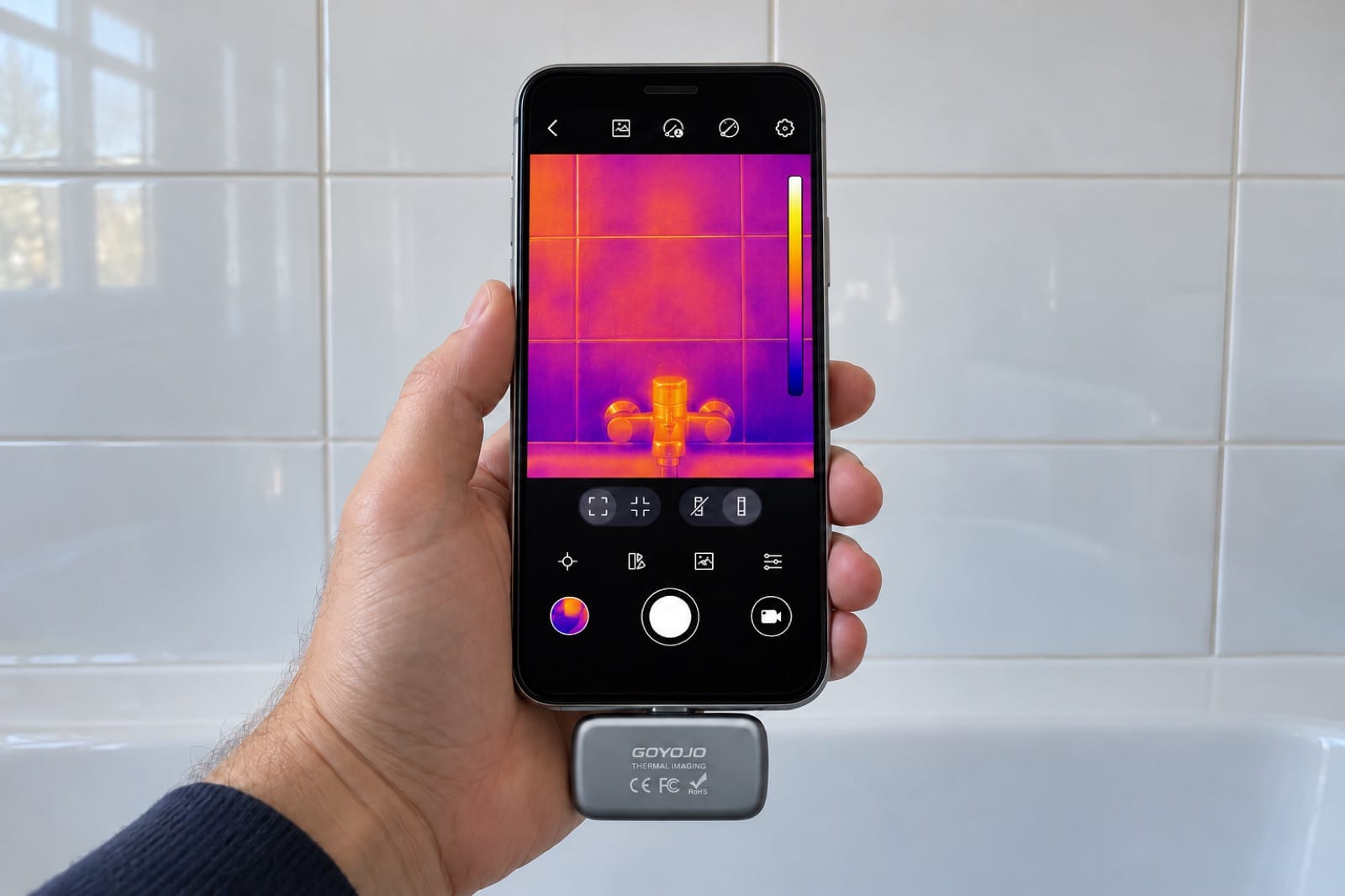
Illustration: the faint warm shape on the tiles is your own reflection. Step sideways: if it moves with you, it isn't in the wall.
Emissivity
Surfaces give off heat differently. Matte paint, drywall, wood, fabric and skin give off almost all of it, so the reading is close to the truth. Bare metal and glossy surfaces give off very little and reflect the rest, so the number can be badly off, usually far too low.
If the app has an emissivity setting, the value for matte surfaces (around 0.95) suits most of a house. For a shiny pipe or metal box, stick a piece of masking tape or electrical tape on it, wait a minute, and read the tape instead.
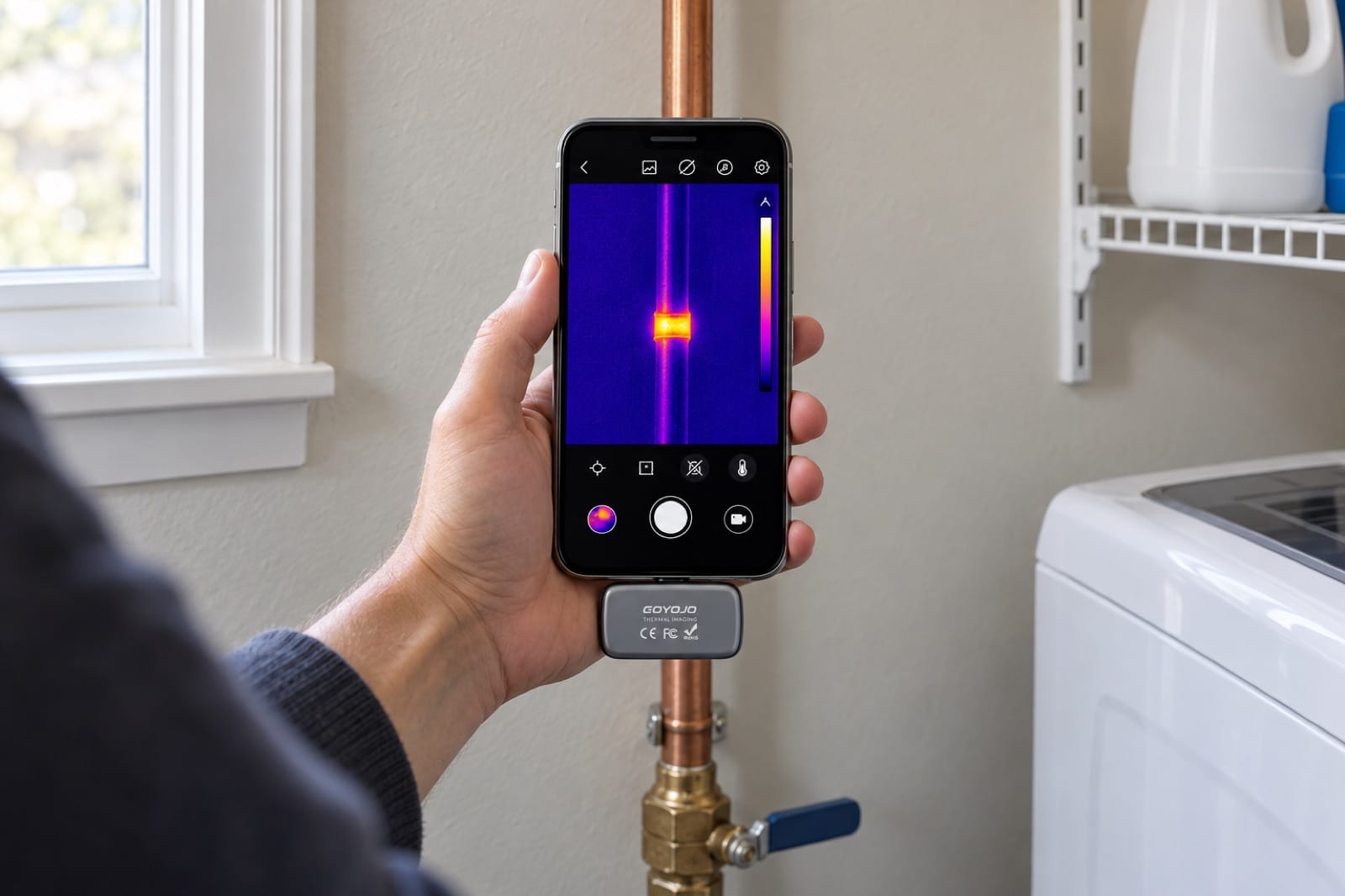
Illustration: bare copper reflects instead of glowing, so it reads far too cold. The tape shows the pipe's real temperature.
Sunlight, lamps and furniture
A wall that had the afternoon sun on it will glow for hours. A patch behind a sofa that was just moved will look cold. A ceiling above a floor lamp will look warm.
Before you blame the wall, ask what was in front of it for the last few hours.
4. Give the camera a temperature difference
A thermal camera only sees a problem when the problem makes the surface warmer or colder than its surroundings. In a house that's been at the same temperature as the outside all day, almost everything looks the same.
You can create the difference yourself:
- Pipes and heating lines: run the hot water or switch the heating on for 10–15 minutes, then scan.
- Drafts and insulation: scan on a day when it's at least 10 °C (18 °F) colder or warmer outside than inside.
- Damp: scan in the morning, before the sun or the heating has warmed the walls.
- Electrical: let the circuit run under its normal load for half an hour; a cold plug tells you nothing.
5. Distance and detail
Every thermal pixel covers a patch of the wall, and that patch gets bigger the further back you stand. A rough rule thermographers use is that an object should cover about three pixels before you trust the reading on it.
In practice: a damp patch the size of a dinner plate shows up from across the room on any camera. A single pipe 15 mm (about ½ in) wide needs you within about 1.4 m (4.5 ft) with Spark Pro, or within about 0.5 m (1.5 ft) with Spark. Our Spark vs Spark Pro guide has the full table.
6. A five-minute routine for any spot
When you find something that looks wrong:
- Check the scale. Is it 1 °C different or 10 °C? Small differences often mean nothing.
- Move sideways. Does it stay put? If it slides, it's a reflection.
- Look at the shape. Lines, fingers, blobs or rectangles each point to a different cause.
- Compare. Scan the same spot in the next room or on the other side of the house. Is it the only one?
- Confirm with a second tool. A cold patch might be wet or just cold. A moisture meter like Damp tells you which, and an inspection camera like Reach 360 can look inside through a small hole.
Take a photo at each step. A thermal photo next to a normal photo of the same wall is the clearest thing you can send to a plumber, electrician or landlord.
What a thermal camera can't tell you
- It doesn't see through walls, only the surface temperature that something inside the wall causes.
- It doesn't see water, only the cooling that evaporating water causes.
- It can't tell you why a spot is warm or cold. That's your job, and the job of the second tool.
The tools in this guide
Prices are on each product page, in your local currency.
- Spark Pro — 256 × 192 thermal pixels: sharp enough to see a single pipe or a draft line from across the room.
- Spark — 96 × 96 thermal pixels: the same colors and app, best when you work close to the surface.
If you want to go from "something's there" to "here's what it is", the Whole Home Kit pairs Spark Pro with the Damp moisture meter and the Reach 360 inspection camera, for 10% less than buying them separately.
Ready to see it for yourself? Order Spark Pro, or get the Whole Home Kit to find the spot, prove it's wet and look inside.